Langsung ke konten utama

Hands on Xamarin Platform Pipeline - Develop - Exploring Visual Studio Mobile Center

In this post we'll explore the functionalities of the Visual Studio Mobile Center, it's just an overview and each functionality will be detailed in future posts while improving our 'RememberIt' application.

Don't forget to take a look at the previous posts.

Visual Studio Mobile Center helps mobile developers to cover all the lifecycle (Continuous Integration and Continuous Delivery) and the functionalities they need for a mobile application. It's available under the following link: https://mobile.azure.com

Application creation

Let's create our 'RememberIt' application is Visual Studio Mobile Center. Firstly, login to https://mobile.azure.com, then push 'Add new app' button.
Enter app name and for our 'RememberIt' application select Android as OS, Xamarin as platform then push 'Add new app' button.
Once the application created, the getting started page is shown.

Exploring Visual Studio Mobile Center menus

Build menu: to retrieve the code from either GitHub repository or Bitbucket then configure an automatic build of the project.
Test menu: it's for UI automation tests, we can chose the device configuration and plan UI testing after the build step.
Distribute menu: for distribution and where we can define group of testers and configure an automatic distribution to that group after a successful build.
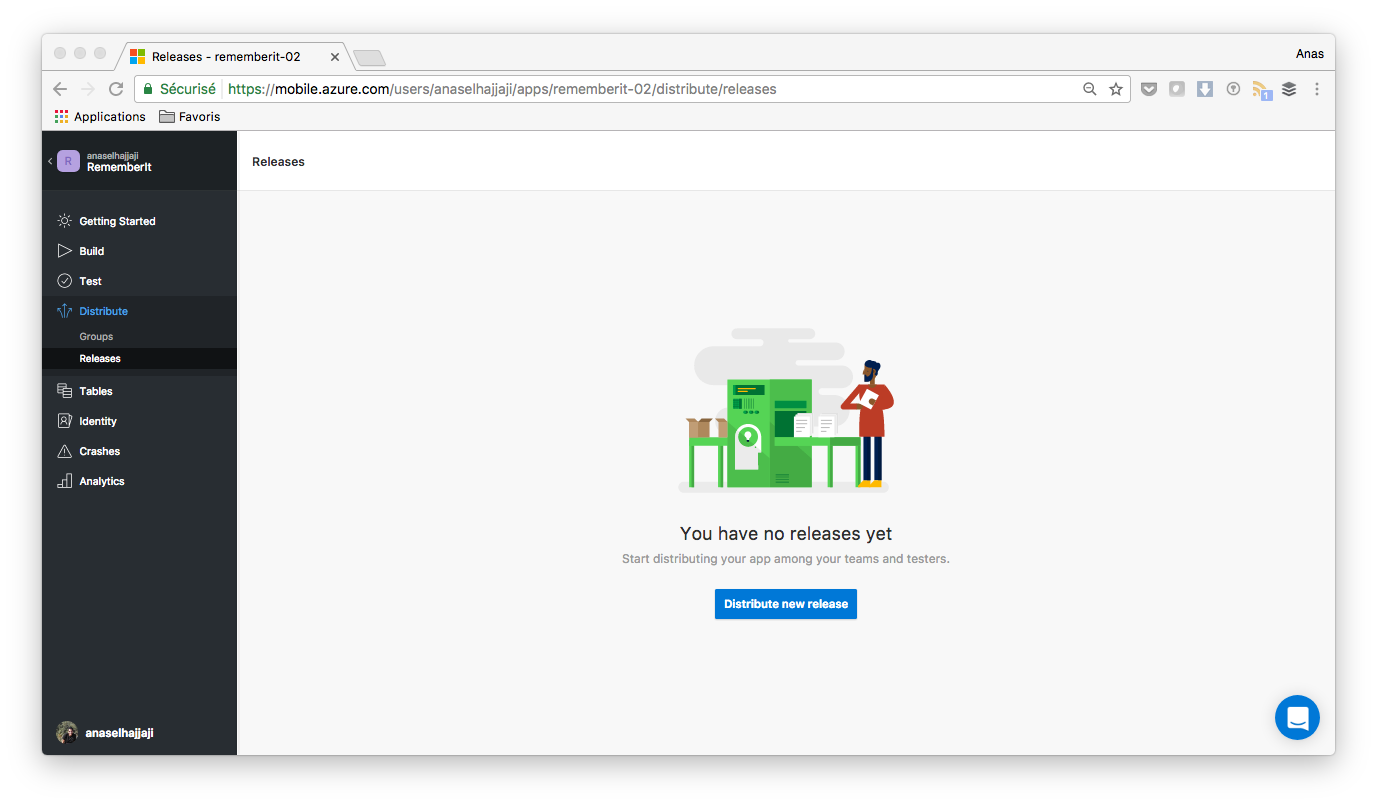
Tables menu: is for managing the storage of the mobile application. 
Identity menu: is for adding authentication to the mobile application and the following providers are supported:
- Azure Active Directory
- Microsoft account
- Facebook
- Google
- Twitter
Crashes menu: is for crash data browsing of the mobile application.
Analytics menu: is for mobile application analytics data browsing.

Komentar

Postingan populer dari blog ini

QR-Code Generator - Library

In this Post, I introduce my new Gradle Library. This Library is used to Generate QR Code Automatically for our specified input. How to Import the Library: Gradle: compile 'androidmads.library.qrgenearator:QRGenearator:1.0.0' Permission: <uses-permission android:name="android.permission.WRITE_EXTERNAL_STORAGE"/> How to use this Library: After importing this library, use the following lines to use this library. The following lines are used to generated the QR Code // Initializing the QR Encoder with your value to be encoded, type you required and Dimension QRGEncoder qrgEncoder = new QRGEncoder(inputValue, null, QRGContents.Type.TEXT, smallerDimension); try { // Getting QR-Code as Bitmap bitmap = qrgEncoder.encodeAsBitmap(); // Setting Bitmap to ImageView qrImage.setImageBitmap(bitmap); } catch (WriterException e) { Log.v(TAG, e.toString()); } Save QR Code as Image // Save with location, value, bitmap returned and type of Image(JPG/PNG). QRGSaver.save(s...

Download file using Okio in Android

Okio is a library that complements java.io and java.nio to make it much easier to access, store, and process your data. Simply Okio is a modern I/O API for Java.  In this post, we will see how to download image or any file using Okio. Okio is component for OkHttp Coding Part Create a new project in Android Studio. Add following dependencies to your  app-level  build.gradle  file. compile 'com.squareup.okhttp3:okhttp:3.6.0' Don't forget to add the following permission in your AndroidManifest.xml <uses-permission android:name="android.permission.INTERNET"/> <uses-permission android:name="android.permission.WRITE_EXTERNAL_STORAGE"/> Implementation Paste the following code in your Activity and Here, I have kept as MainActivity.java public void downloadImg(View view) { try { Request request = new Request.Builder() .url(imageLink) .build(); new OkHttpClient().newCall(request).enqueue(new Callback() { @Override public void onFail...

How to Perform Rest API using Retrofit in Android (Part-1)

In this post, I will show you How to use Retrofit in Android. Retrofit is a new born baby of web services such as AsyncTask, JSONParsing and Volley. This post is Split into Two Parts. First Part Contains Architecture of Retrofit and How to create MySQL DB and PHP Scripts for Basic Operations. Second Part Contains how to perform Retrofit Operations in Android. Architecture of Retrofit Web Service We need 3 Things for Complete Retrofit Architecture. RestAdapter An Interface with all networking methods and parameters. Getter Setter Class to save data coming from server. Project Structure: Create MySQL DataBase and PHP Scripts. Following image shows my database structure. PHP Scripts: I created db_config.php which contains the script to connect DB. <?php /** * Database config variables */ define("DB_HOST", "localhost"); define("DB_USER", "root"); define("DB_PASSWORD", ""); define("DB_DATABASE", "retrofit_exampl...